
Is your business struggling to appear on Google Maps? 76% of consumers visit a business within 24 hours of searching for it online. Without a proper Google Maps SEO strategy, your business risks being buried in search engine results. Improving your Google Maps ranking is essential for visibility and attracting local customers.
By optimizing your Google Business Profile, embedding a Google map on your website, and utilizing local SEO strategies, you can significantly boost your local search presence. This article provides a step-by-step guide to help you rank higher on Google Maps and improve your local visibility.
What Is Google Maps SEO?
Google Maps SEO refers to the process of optimizing your Google Maps listing and Google Business Profile to improve your local search ranking and visibility. By optimizing key aspects, such as business information, business name, business description, business hours, and Google reviews, you signal to Google that your business is relevant to local customers. Local SEO strategies, such as adding local keywords and creating Google Posts, can also improve your ranking in Google Maps search results. Ultimately, Google Maps SEO helps your business appear higher in local search results, increasing your chances of attracting more local customers.
Why Is SEO for Google Maps Important?
- Increased Local Visibility: SEO for Google Maps improves your local search ranking, making your business more visible to nearby customers.
- Boosts Local Customer Engagement: Optimizing your Google Business Profile helps attract local customers by displaying accurate business information, such as hours, address, and reviews.
- Higher Ranking in Google Maps: Local SEO strategies, such as using relevant local keywords and Google Posts, can help your business rank higher on Google Maps.
- Enhanced Google Maps Business Listing: An optimized Google Maps listing can improve visibility, appearing in local searches and the local pack.
- Attract More Local Customers: Effective Google Maps SEO can help your business stand out in search results, ultimately attracting more local traffic.
Tips for Ranking Higher in Google Maps
1. Add or Claim Your Business on Google Maps:
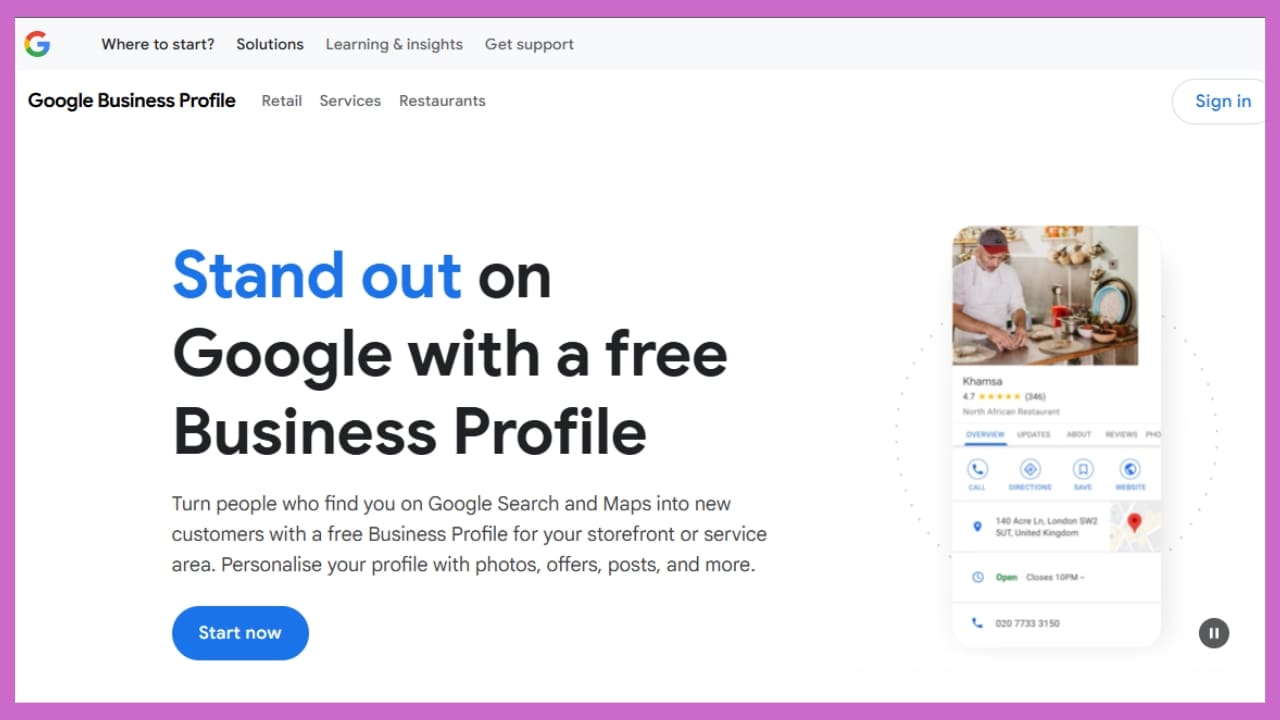
To rank higher on Google Maps, first claim your Google Business Profile. Ensure your business name, location, and contact information are accurate. This helps Google understand your local business and improves your visibility in local search results. Also, verify your Google Maps listing to ensure it appears in relevant local searches and helps attract local customers.
2. Optimize Your Google Business Profile:
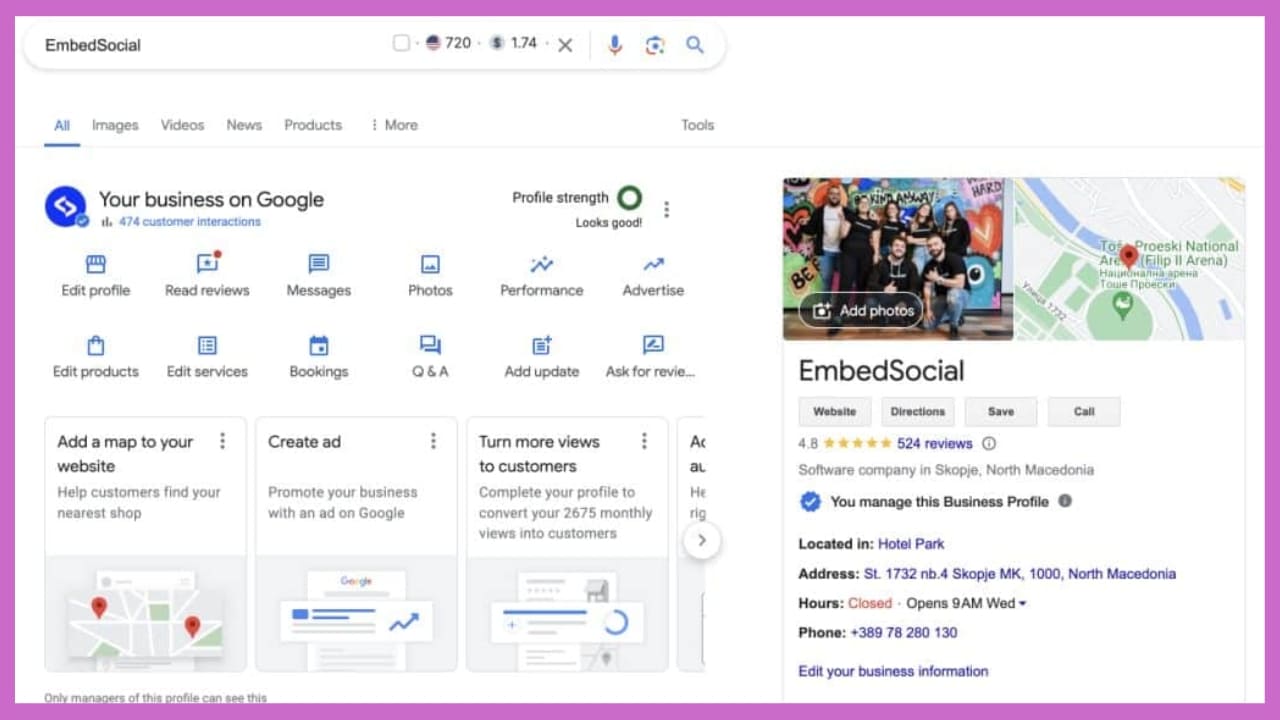
Optimizing your Google Business Profile is crucial for improving local ranking. Include accurate business hours, a clear business description, and relevant business categories. Add high-quality images of your business and ensure all details are up to date. Proper optimization helps Google understand your business better and enhances your Google Maps ranking.
3. Post Content to Your Profile:
Regularly posting updates, promotions, or local events on your Google Business Profile can improve your visibility on Google Maps. Google Posts give your business extra exposure in the local pack. Include local keywords and information about local events to engage more local customers and encourage them to visit or contact your business.
4. Manage and Respond to Reviews:
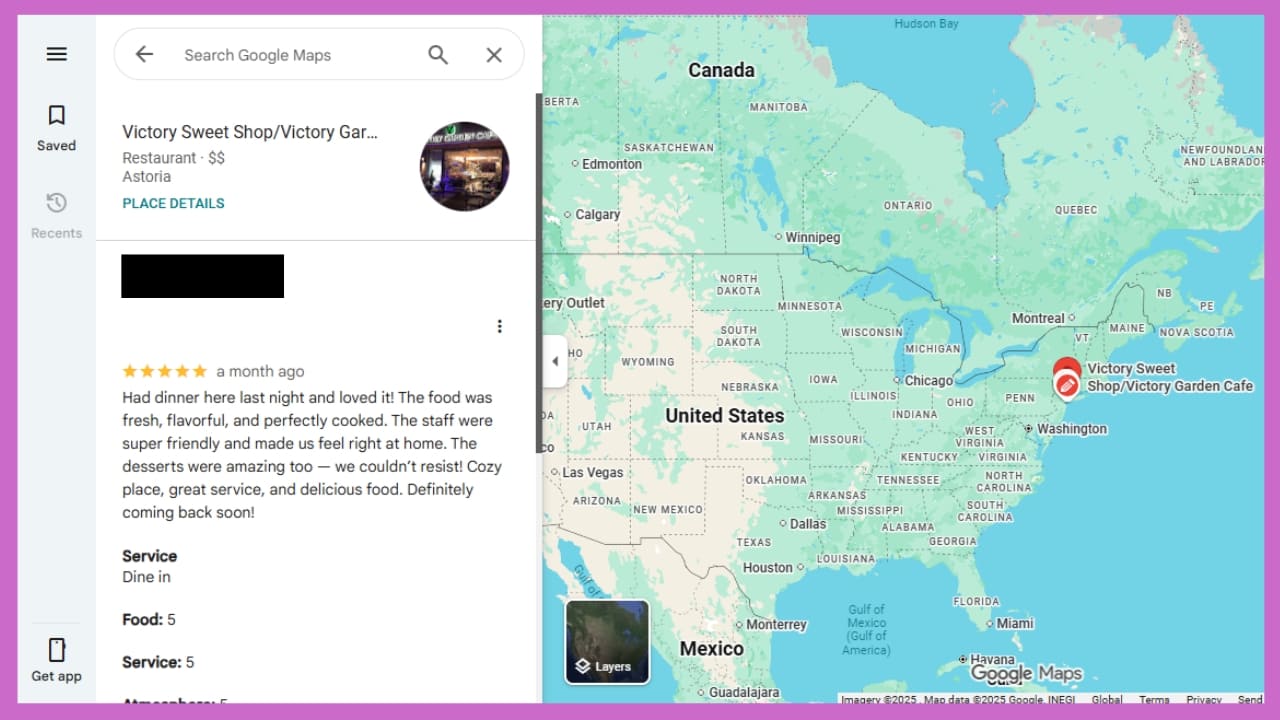
Managing Google reviews effectively is a powerful way to improve your local search ranking. Responding to positive and negative reviews shows that you are active and care about your local customers. Consistent engagement with reviews helps boost your Google Maps ranking and signals to Google that your business is relevant to the local community.
5. Optimize Your Site for Local Search:
Ensure your website is optimized for local SEO to rank higher in local search results. Include local keywords in your website’s content, meta tags, and titles. Make sure your site’s content aligns with local search intent to help Google associate your site with local searches and increase your local maps ranking.
6. Build Relevant Local Backlinks:
Building local backlinks is essential for improving your local search ranking. Get featured in local directories, partner with other local businesses, or participate in local events. Quality local links signal to Google that your business is important in the local area, which can positively impact your Google Maps ranking.
7. Target Long-Tail Keywords:
Targeting long-tail keywords specific to your location can improve your Google Maps SEO. Use these keywords in your Google Business Profile and website content to attract local customers searching for highly specific services. This improves your local visibility and helps your business rank higher in local search results.
8. Embed Google Maps on Your Site:
Embedding a Google Map of your business location on your website can help increase your Google Maps ranking. It enhances local visibility and signals to Google that your business has a physical presence in the area. Additionally, it encourages visitors to find your location quickly, which can lead to more local customers.
9. Use Paid Ads to Boost Engagement:
Using Google Ads for local search results is a great way to boost Google Maps visibility. Running paid campaigns targeting specific local keywords can increase the chances of appearing in the local pack. This ensures your business is visible to local customers when they search for relevant services in your area.
Conclusion
Optimizing your Google Maps listing is crucial for gaining a competitive edge in local search results. By implementing local SEO strategies such as claiming your Google Business Profile, using relevant local keywords, and managing Google reviews, you can improve your local business ranking. Consistent efforts in improving your Google Maps visibility will lead to more local customers and higher engagement. Ready to take action and improve your Google Maps SEO? How will you optimize your business for better local ranking?
FAQs
What factors influence my Google Maps ranking?
Key factors include the accuracy of your business information, the number of Google reviews, the quality of local backlinks, and the relevance of local keywords.
How do I update my business information on Google Maps?
Log in to Google My Business, select your business, and update information like address, business hours, and contact details.
Can I optimize my Google Maps listing without a physical location?
No, Google Maps SEO is for businesses with a physical address, as it relies on local searches to drive visibility.
Does the type of business affect how it ranks on Google Maps?
Yes, businesses with high demand and accurate business categories tend to rank higher in Google Maps search results.
How does Google determine which businesses show up first in the local pack?
Google uses factors like proximity, relevance, and prominence, which include your Google reviews and



Leave a Comment